
Exceptions
Let’s face it, bad things happen. Networks partition, servers crash, and remote endpoints become non-responsive. And when bad things happen, exceptions get thrown. And when exceptions get thrown, people die. Okay, maybe that’s a bit dramatic, but the point is, exceptions are a fact of software development.
Fortunately, MassTransit provides a number of features to help your application recover from and deal with exceptions. But before getting into that, an understanding of what happens when a message is consumed is needed.
Take, for example, a consumer that simply throws an exception.
public class SubmitOrderConsumer : IConsumer<SubmitOrder>{ public Task Consume(ConsumeContext<SubmitOrder> context) { throw new Exception("Very bad things happened"); }}When a message is delivered to the consumer and the consumer throws an exception, the following happens:
-
The message is moved to the _error queue (prefixed by the queue name). The exception details are stored as headers with the message for analysis and to assist in troubleshooting the exception.
-
A
Fault<T>event is produced. By default, the event is published. If theFaultAddressheader is present, the fault is sent to that address. Likewise, if theResponseAddressheader is present, the fault is sent to that address.
This behavior can be changed by configuring various middleware components on the bus and any Receive endpoints.
Message Retry
Section titled “Message Retry”Some exceptions may be caused by a transient condition, such as a database deadlock, a busy web service, or some similar type of situation that usually clears up on a second attempt. With these exception types, it is often desirable to retry the message delivery to the consumer, allowing the consumer to try the operation again. Learn more about message retry in the Retry section.
Message Redelivery
Section titled “Message Redelivery”Some errors take a while to resolve, say a remote service is down or a SQL server has crashed. In these situations, it’s best to dust off and nuke the site from orbit —at a much later time, obviously. Redelivery is a form of retry (some refer to it as second-level retry) where the message is removed from the queue and then redelivered to the queue at a future time. Learn more about message redelivery in the Redelivery section.
Outbox
Section titled “Outbox”If the consumer publishes events or sends messages (using ConsumeContext, which is provided via the Consume method on the consumer) and subsequently throws
an exception, it isn’t likely that those messages should still be published or sent. MassTransit provides an outbox to buffer those messages until the consumer
completes successfully. If an exception is thrown, the buffered messages are discarded. Learn more about the outbox.
Faults
Section titled “Faults”As shown above, MassTransit delivers messages to consumers by calling the Consume method. When a message consumer throws an exception instead of returning
normally, a Fault<T> is produced, which may be published or sent depending upon the context.
A Fault<T> is a generic message contract including the original message that caused the consumer to fail, as well as the ExceptionInfo, HostInfo, and the
time of the exception.
public interface Fault<T> where T : class{ Guid FaultId { get; } Guid? FaultedMessageId { get; } DateTime Timestamp { get; } ExceptionInfo[] Exceptions { get; } HostInfo Host { get; } T Message { get; }}If the message headers specify a FaultAddress, the fault is sent directly to that address. If the FaultAddress is not present, but a ResponseAddress is
specified, the fault is sent to the response address. Otherwise, the fault is published, allowing any subscribed consumers to receive it.
Consuming Faults
Section titled “Consuming Faults”Developers may want to do something with faults, such as updating an operational dashboard or notifying a support team. To observe faults separate from the consumer that caused the fault to be produced, a consumer can consume fault messages the same as any other message.
public class DashboardFaultConsumer : IConsumer<Fault<SubmitOrder>>{ public async Task Consume(ConsumeContext<Fault<SubmitOrder>> context) { // update the dashboard }}Faults can also be observed by state machines when specified as an event:
Event(() => SubmitOrderFaulted, x => x    .CorrelateById(m => m.Message.Message.OrderId) // Fault<T> includes the original message    .SelectId(m => m.Message.Message.OrderId));
public Event<Fault<SubmitOrder>> SubmitOrderFaulted { get; private set; }
Managing Faults
Section titled “Managing Faults”In any production system faults will happen, and you should be prepared to manage these. Faults need to be inspected to identify why the messages failed, and once the cause for the problem has been identified and resolved, the messages should be retried.
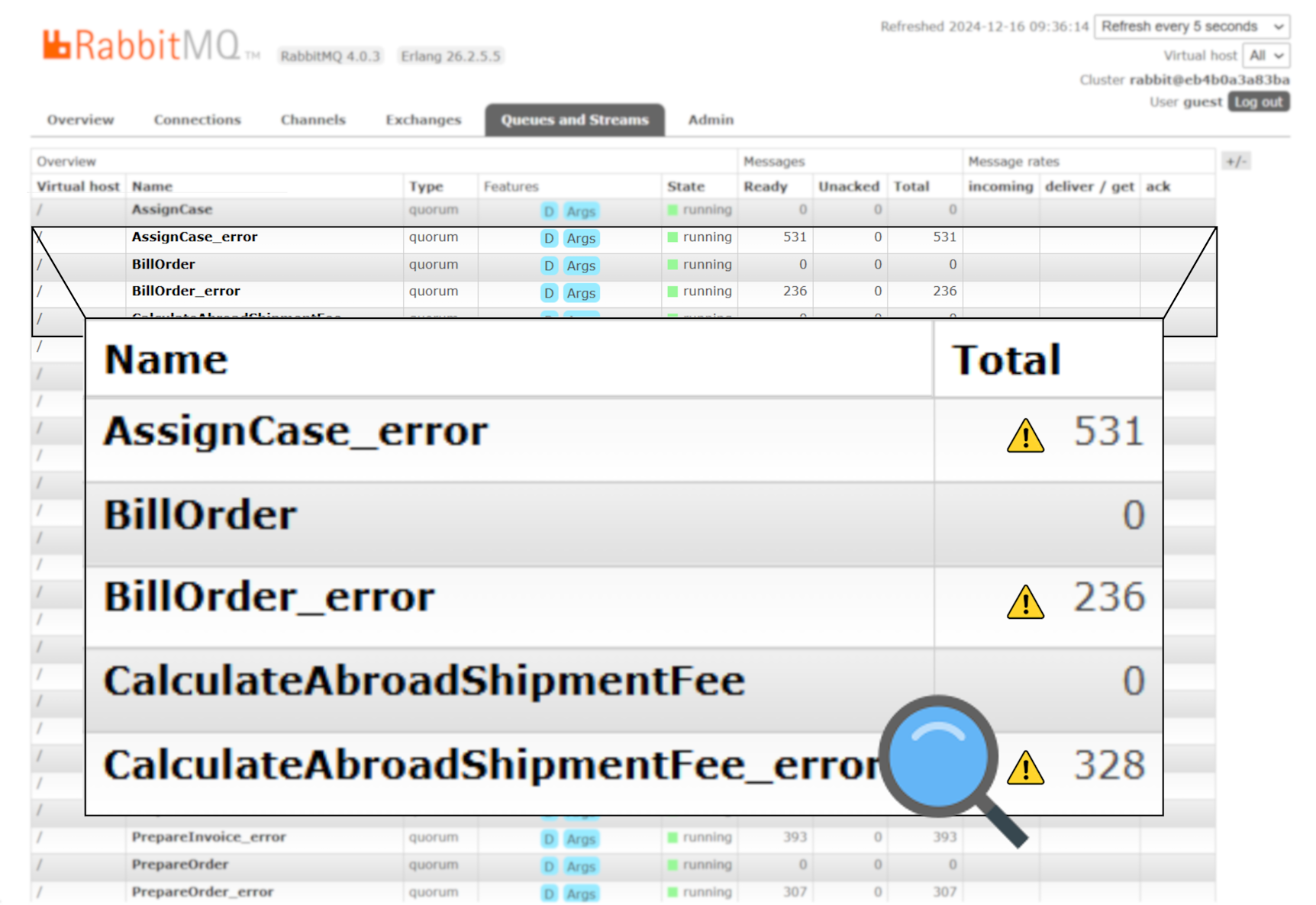
You can use broker built-in tools like RabbitMQ Management UI, Azure portal Service Bus Explorer, Amazon AWS web console, to inspect the Faults. Once the reason for the fault has been resolved, you can use the tool to extract the original message and send it back to the original consumer. In this manner, messages that fail Retries and Redelivery can still be successfully processed at a later stage.
Particular Service Platform
Section titled “Particular Service Platform”These tools could be good enough for simple deployments. However, the feature set may be limited when you need to manage many messages, from multiple queues, failing at different times, and for various reasons. In such scenarios, you might want to consider a dedicated solution such as the error management capabilities in the Particular Service Platform.
See also:
- Retrying messages with RabbitMQ
- Retrying messages with Azure Service Bus
- Retrying messages with Amazon SQS
Error Pipe
Section titled “Error Pipe”By default, MassTransit will move faulted messages to the _error queue. This behavior can be customized for each Receive endpoint.
To discard faulted messages so that they are not moved to the _error queue:
cfg.ReceiveEndpoint("input-queue", ec =>{ ec.DiscardFaultedMessages();});Beyond that built-in customization, the individual filters can be added/configured as well. Shown below are the default filters, as an example. If you want to add a custom filter on top of existing behavior, make sure to include default filters after your custom one.
This is by default, do NOT configure this unless you have a reason to change the behavior.
cfg.ReceiveEndpoint("input-queue", ec =>{ ec.ConfigureError(x => { x.UseFilter(new GenerateFaultFilter()); x.UseFilter(new ErrorTransportFilter()); });});Dead-Letter Pipe
Section titled “Dead-Letter Pipe”By default, MassTransit will move skipped messages to the _skipped queue. This behavior can be customized for each Receive endpoint.
Skipped messages are messages that are read from the Receive endpoint queue that do not have a matching handler, consumer, saga, etc. configured. For instance, receiving a SubmitOrder message on a Receive endpoint that only has a consumer for the UpdateOrder message would cause that SubmitOrder message to end up in the _skipped queue.
To discard skipped messages so they are not moved to the _skipped queue:
cfg.ReceiveEndpoint("input-queue", ec =>{ ec.DiscardSkippedMessages();});Beyond that built-in customization, the individual filters can be added/configured as well. Shown below are the default filters, as an example.
This is by default, do NOT configure this unless you have a reason to change the behavior.
cfg.ReceiveEndpoint("input-queue", ec =>{ ec.ConfigureDeadLetter(x => { x.UseFilter(new DeadLetterTransportFilter()); });});